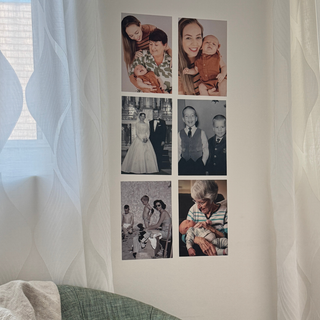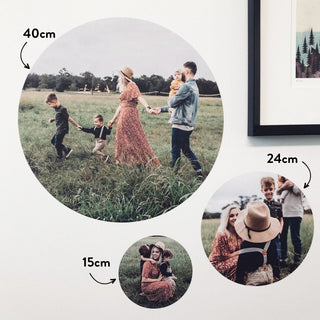
Photo Decals and print quality:
Everything you need to know for the best result possible ↓
Photo Quality & Cropping
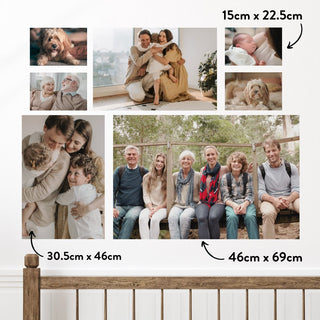
We want your Photo Wall Decals to look their best. We print exactly the file you upload, so the resolution of your photo decides how sharp the finished decal looks - especially in our larger sizes.
We do recommend minimum pixel sizes for each size / decal product to get the best result, although we completely understand that sometimes a photo is too precious not to print, especially if it's the only copy you have.
Choosing the best photo
Send the original file wherever you can - straight from your camera roll or camera, not a copy that has been through anything else. Photos taken on most modern smartphones and digital cameras print beautifully, as long as we're working from the original.
Especially for larger sized decals, try to avoid:
- Screenshots and screen captures, which lose most of the original detail
- Photos saved or downloaded from Instagram, Facebook or a website, which are compressed copies
- Images sent through messaging apps, which are usually shrunk in transit
- Very small or low-resolution files
- Photos already cropped in tight or enlarged, which have less detail left to work with
Photo Brightness
Photos taken in good natural light print beautifully. Please check (and edit, if neccessary) the brightness of your photo before uploading. Avoid photos that are dark, or with shadows - especially across faces or important details.
We print files exactly as they're supplied and don't edit or colour-correct them, so the prints have come out as the files were sent to us.
Photo size guide
What size photo do I need for my decals?
Every decal size needs a different minimum photo. Find your product below and check your file before you order — we print your photo exactly as supplied.
How to check your photo size — it takes about ten seconds
iPhone — open the photo in Photos, swipe up or tap the ⓘ icon at the bottom. The pixel dimensions appear under the file name.
Android — open the photo in Google Photos, swipe up or tap the ⓘ icon. Look for the dimensions beside the file size.
Mac — right-click the file in Finder and choose Get Info. The dimensions are listed under More Info.
Windows — right-click the file, choose Properties, then the Details tab. Width and height are listed under Image.
Photos saved from Instagram, Facebook or Messenger, or received by text, are compressed and almost always too small — even though they look perfectly sharp on a phone. The original straight from your camera roll is nearly always the best version you have.
Round
Arch
Square
Rectangle
Before you order
Please check your photo's dimensions against the size you're ordering. Because we print your file exactly as supplied, Arlo & Co can't be held responsible for a decal that looks soft or pixelated when the uploaded photo was below the resolution for the size ordered.
We understand that in placing your order, you've read and considered all of the information above - and we will print the photos you send us. ♡
Displaying and Caring for your decals
Will it work on your wall?
Our photo decals are best on smooth, properly cured painted walls. Here's the honest guide to where they work beautifully — and where they don't.
- ✓Smooth painted plaster — matte, satin or eggshell (fully cured)
- ✓Glass and mirrors
- ✓Painted timber and smooth doors
- ✓Laminates and melamine
- ✓Cupboards and wardrobe doors
- ✓Whiteboards and other smooth sealed surfaces
- ✗Heavily textured, chalky or rendered walls
- ✗Bare or painted brick and concrete
- ✗Wallpaper, peeling or flaking paint
- ✗Wax-coated, oiled or greasy surfaces
- ✗Damp walls or high-moisture areas
- ✗Freshly painted walls — wait at least 30 days
Shop Photo Decals